How to Navigate This Course
Welcome to the course. Start in the Getting Started section. First, read the Instructor Biography and check the Announcements forum for important updates.
Next, go to the Introductory forum and post your introduction. If you have questions during the course, use Questions for your Facilitator.
Move through the course in this order:
- Complete Getting Started
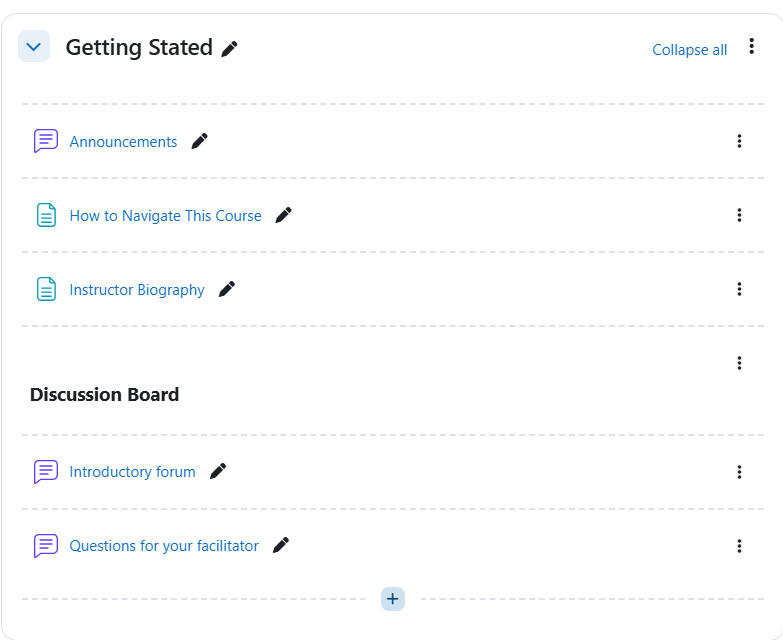
Figure 1. Getting Started section in student view showing the orientation and support materials for the course. - Complete Module 1 – Installing Ubuntu Server
- Review the learning pages, resources, and practice quiz
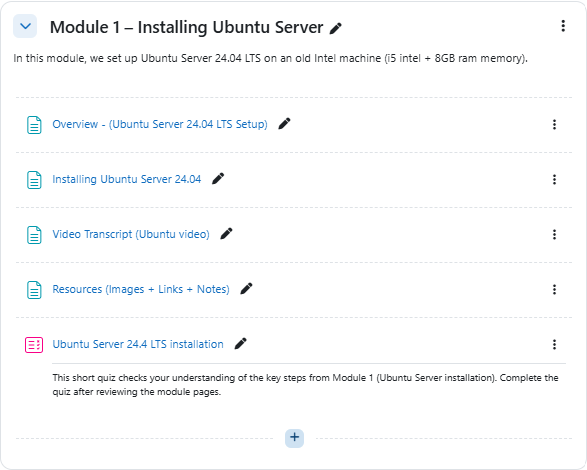
Figure 2. Module 1 in student view showing the content sequence for Ubuntu Server installation.- Complete Module 2 – Installing Moodle 5.1.1
- Review the learning pages, resources, and practice quiz.
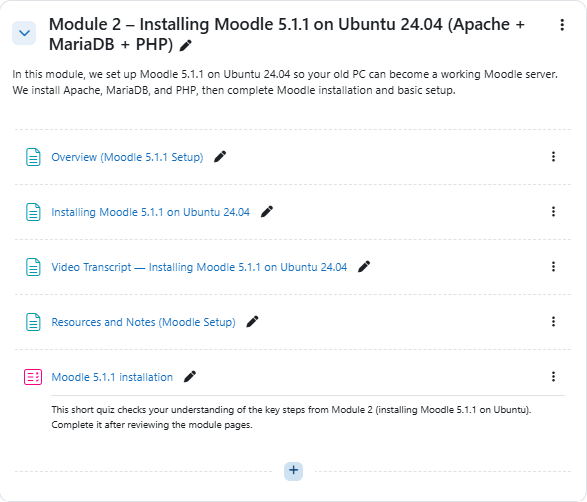
Figure 3. Module 2 in student view showing the content sequence for Moodle 5.1.1 installation.- Complete Building on Knowledge
- Graded Discussion – Installation Planning and Troubleshooting
- Assignment #1
- Group Assignment – Installation Plan and Troubleshooting Guide
- Quiz #1 during the 24-hour quiz window
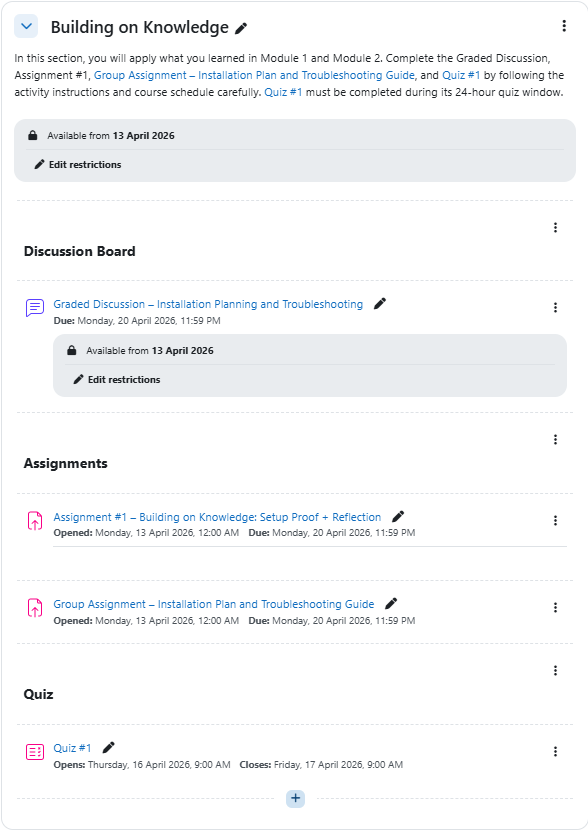
Figure 4. Building on Knowledge section in student view showing the graded activities and assessments.
Use the screenshots above to help you recognize the main course areas and activity locations.
Last modified: Tuesday, 14 April 2026, 9:08 PM