Resources and Notes (Moodle Setup)
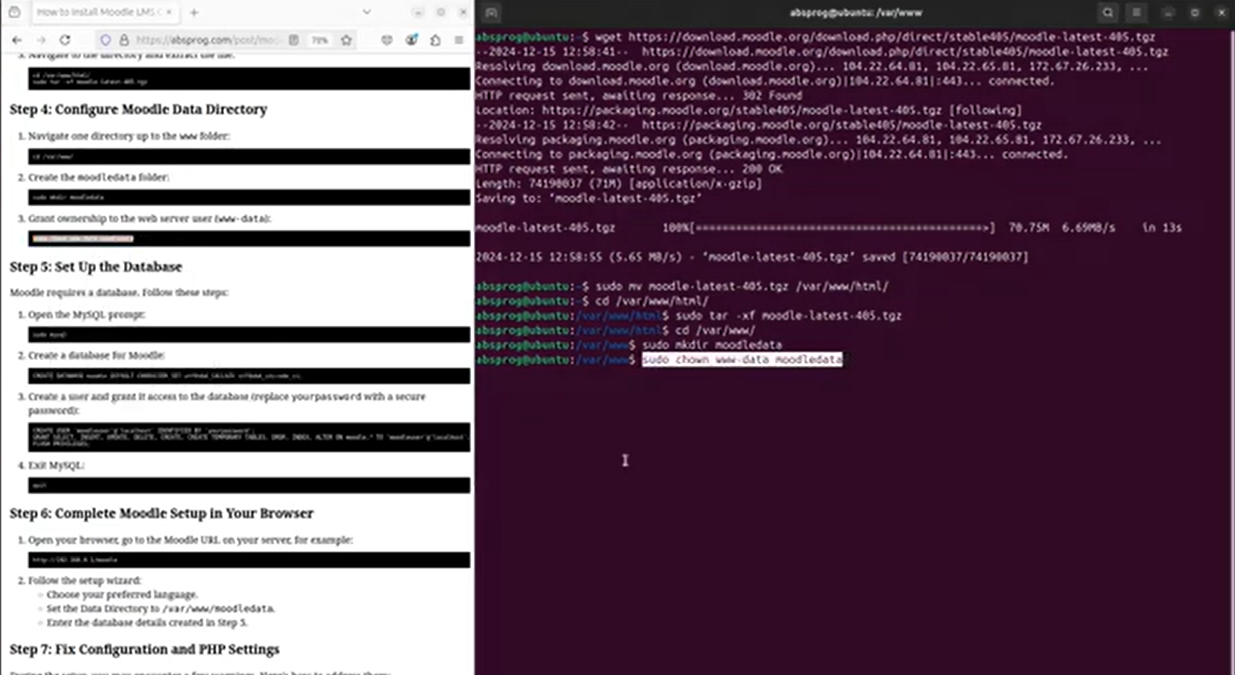
The screenshot above shows key steps (Moodle paths and download/extract) so you can compare your setup.
These resources support the Moodle setup process and help you confirm that your configuration is correct. Use the installation steps and screenshots to verify your Moodle paths and especially to ensure the data directory is set to /var/moodledata (not inside /var/www) (Moodle, n.d.; Canonical, n.d.).
Use the database notes to create the Moodle database and user, then complete the web installer at http://SERVER_IP/moodle (Moodle, n.d.).
Helpful links (download + installation):
- Moodle Docs: Installation overview (official)
- Moodle Downloads: Stable 5.1 release
- Ubuntu Server documentation (official)
Live Moodle server (my installation):
References
- Moodle. (n.d.). Installing Moodle. https://moodledev.io/general/install
- Moodle. (n.d.). Moodle downloads. https://download.moodle.org/
- Canonical. (n.d.). Ubuntu Server documentation. https://ubuntu.com/server/docs
Last modified: Thursday, 19 March 2026, 5:18 PM